




- Messages : 2
- Remerciements reçus 0
Pathway menu
- Eight Bells
- Hors Ligne
- Nouveau membre
-

Moins
Plus d'informations
il y a 21 heures #4081
par Eight Bells
Réponse de Eight Bells sur le sujet Pathway menu
I wanted to post that I have the same issue. The Information and Management tab won't work unless I drag the window on the Edit Pathway window a little larger. Other anomalies I have noted: I have to double click Append POI for it to work. By default Hide Intermediate Pathways is selected. I have to double click any of the options to change them. If I double-click Hide Intermediate Pathways to "off" Hide Pathway is then selected. I can't click and drag to highlight the Pathway Name, I have to double click to highlight it, and then I can edit. None of these are real problems, although it took a bit to figure it out! I am running a MacBook Air, M1 chip, Tahoe 26.6.2.
I greatly appreciate the program and all the work, so these are observations, not complaints!!
I greatly appreciate the program and all the work, so these are observations, not complaints!!
Connexion ou Créer un compte pour participer à la conversation.
- maitai
- Hors Ligne
- Administrateur
-

Moins
Plus d'informations
- Messages : 1310
- Remerciements reçus 32
il y a 17 heures 36 minutes #4082
par maitai
Réponse de maitai sur le sujet Pathway menu
Hello,
The Information and Management tab misbehavior is our bug and it is already fixed in the current beta.
The other issues are related to a MacOS issue. Probably you are running Intel version on your Mac M1, make sure you have installed the M version (in our download section).
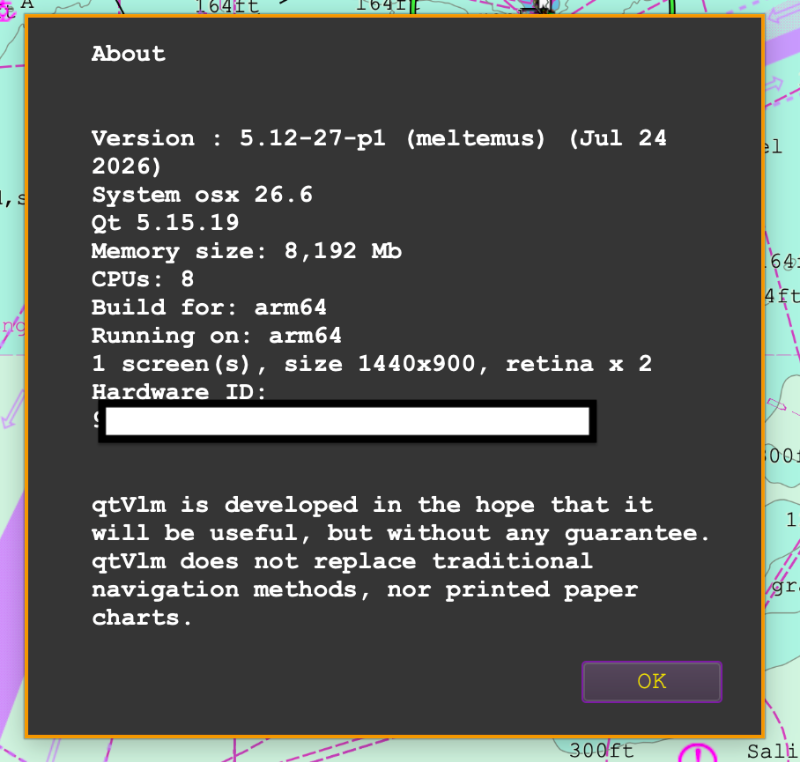
What is Help->About qtVlm saying ?
The Information and Management tab misbehavior is our bug and it is already fixed in the current beta.
The other issues are related to a MacOS issue. Probably you are running Intel version on your Mac M1, make sure you have installed the M version (in our download section).
What is Help->About qtVlm saying ?
Connexion ou Créer un compte pour participer à la conversation.
- Eight Bells
- Hors Ligne
- Nouveau membre
-
Moins
Plus d'informations
- Messages : 2
- Remerciements reçus 0
il y a 7 heures 28 minutes #4084
par Eight Bells
Réponse de Eight Bells sur le sujet Pathway menu
Thanks for the prompt reply. Screenshot included of about Help> About qtVlm. Also your note about the beta update is well received.
Connexion ou Créer un compte pour participer à la conversation.
Temps de génération de la page : 0.135 secondes